

Many Agentforce teams run a few checks in Agent Builder, feel confident, and move the agent to production.
Then the edge cases appear: the wrong topic gets selected, an action does not run, or the response misses the user’s request. Finding these issues after launch is costly and quickly damages trust.
Agentforce Testing Center helps catch them earlier. You can upload test scenarios, run them in bulk, and review clear pass-or-fail results for topic selection, action execution, and response quality.
This guide explains how Testing Center works, how to create test cases that uncover real failures, and how to add testing to your release process, from initial setup to production deployment.
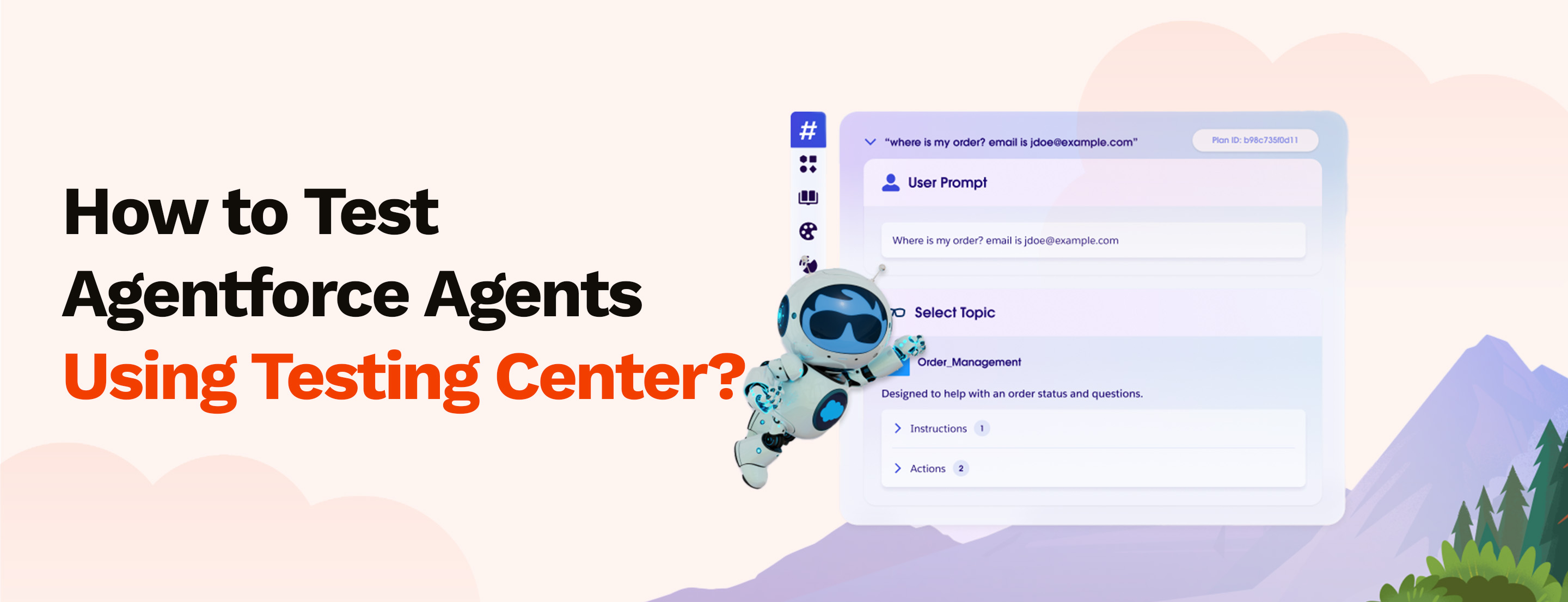
Agentforce Testing Center is a batch testing environment built into Salesforce Setup. You supply a set of test cases, each pairing a user utterance with expected outcomes, and the Testing Center runs them all in parallel against your agent.
It returns pass/fail results across three dimensions: topic selection, action execution, and response quality.
It is not a monitoring system. It does not watch production traffic or flag live failures. It runs in a sandbox only. Every test executes in a non-production environment, which means agent interactions can modify CRM data without affecting live records.
That constraint is intentional, and important to plan around before you build your test suite.
Agentforce Testing Center is available through Salesforce Setup:
Setup > Einstein > Einstein Generative AI > Agent Studio > Testing Center
Alternatively, open any agent in Agent Builder and click Batch Test to reach the Testing Center directly from the agent you are working on. The below are the required access:
Each test case contains six fields. Only the utterance is required, but at least one other field must be populated — empty values are treated as test failures.
One important detail on topic API names: using the topic label instead of the API name is one of the most common reasons test cases fail incorrectly. Check the API name in Agent Builder before building your CSV.
The Testing Center accepts test cases in two ways.
Download Salesforce's test case template from Testing Center, populate it with your utterance-outcome pairs, then upload the file, name the test, select the agent, and run. This is the standard method for structured test suites built by a developer or QA team.
Click Generate Test Cases in the Testing Center. Provide a test name, select the agent, and write a plain description of the scenarios to cover, for example, 'Test customer account lookup queries with different phrasings.' Salesforce generates utterances automatically and produces a downloadable CSV.
AI-generated cases give you a fast starting point. They do not replace deliberate edge-case and negative-case design. Salesforce generates test cases via AI and loads them on the screen, the downloadable CSV is one option that comes after the test suite is loaded in the system. So the correct point would be to review the AI generated test suite and once they have the status ready to run, click Run test suite.
Summary metrics display at the top of the results view: total duration, Topic Pass %, Action Pass %, and Response Pass %. These three percentages are your primary health indicators.
You can filter results by All, Passed, or Failed. Download the full results as CSV for sharing or tracking progress across test runs.
On non-deterministic results: LLM-based agents do not always produce the same output for the same input. The same utterance can route to different topics on different runs. This is not a Testing Center bug, it is a characteristic of how large language models work. If you see the same test case passing and failing inconsistently, the agent's topic instructions are not specific enough. That is where to fix it, not in the test case.
Testing Center supports conversation history, which lets you validate agent behaviour across a sequence of exchanges, not just single isolated messages. This matters for any agent that maintains context across a conversation: a service agent that needs account verification before taking action, or a sales agent that gathers qualification data across several turns.
To set up multi-turn tests: include prior messages in the Conversation History column, alternating between user and agent messages. The last message in history must always come from the agent. Each user message in the sequence is evaluated independently against its expected response, with the full preceding context carried forward.
A disciplined test cycle has five steps. Running them in order prevents the most common mistake, promoting an agent that passed happy-path tests but fails on realistic edge cases.
Agentforce Testing Center runs exclusively in non-production environments. This is not a configuration choice, you cannot run tests against production agents. Tests modify CRM data during execution, which is why production access is blocked. Build sandbox parity with production agent configuration before running tests.
Each test case run consumes Agentforce credits. Large suites of hundreds of cases add up. Monitor consumption through Digital Wallet in Setup, and prioritise test cases that cover high-risk scenarios rather than building exhaustive suites indiscriminately.
Incorrect topic API names or action names cause failures that look like agent problems but are actually test case problems. Before running any suite, verify that every API name in your CSV matches exactly what is configured in Agent Builder. Use Setup > Agent Studio to cross-check.
A customer support team builds a service agent handling account, billing, and subscription requests. They create a CSV with 50 utterances across those three topic areas, including paraphrase variants and edge cases.
Initial results:
Two failure patterns emerge: utterances phrased as 'unsubscribe' route to the wrong topic instead of Subscription, and balance queries consistently miss the RetrieveAccount action in the expected sequence.
The team adjusts the Subscription topic's classification description and adds the missing action to the balance query flow. A second test run confirms both issues are resolved. The agent goes to production with documented pass rates rather than anecdotal confidence.
That last point matters. Documented pass rates give the deployment decision a defensible basis. Anecdotal confidence does not.
Testing Center validates behaviour before deployment. It is not a substitute for post-deployment monitoring.
After production release, Agentforce Analytics tracks live topic selection accuracy and response patterns. Utterance Analysis shows how the agent handles specific real-world inputs.
Production feedback from these tools feeds your next test cycle, you add new test cases based on observed failure modes, run them in a sandbox, refine, and redeploy.
The Testing Center is the pre-flight check. Production observability is the ongoing instrument panel. Both are required.
Getting your agent into production is one milestone. Getting it to behave reliably in production is the real work.
The Testing Center gives you the structure to validate that behaviour before users encounter it. The teams that use it well are not the ones with the most test cases, they are the ones who treat testing as part of the build process, not a final check before go-live.
If you are building or deploying an Agentforce agent and want a review of your test approach before go-live, MIDCAI’s AI implementation services covers agent architecture, topic and action design, and test-driven deployment processes.
Talk to a MIDCAI Agentforce specialist about your deployment and testing setup.

5+ years of experience delivering Salesforce solutions across Marketing Cloud, Sales Cloud, Data Cloud, Agentforce, and Marketing Cloud Intelligence. At MIDCAI, I help shape functional approaches that simplify complex requirements and support stronger business outcomes.
Get in touch with us for any enquiries and questions
Define your goals and identify areas where technology can add value to your business
We are looking for passionate people to join us on our mission.
where your skills fuel innovation and your growth powers ours