
A work order shouldn’t need an interpreter. But when every client sends a different email, PDF, image, reference number, and layout, that is exactly what your team becomes. Ivy reads the request, finds the details that matter, checks what already exists, and turns it into the right Salesforce records.
Every work order looks different. The job behind it usually isn’t. Ivy turns messy inbound requests into something your team can actually use. Powered by Salesforce Agentforce, Ivy reads emails, PDFs, and images, extracts the job details, checks whether the work already exists, and creates the right records in Salesforce. No digging through attachments. No double entry. Just cleaner intake and faster handoff.
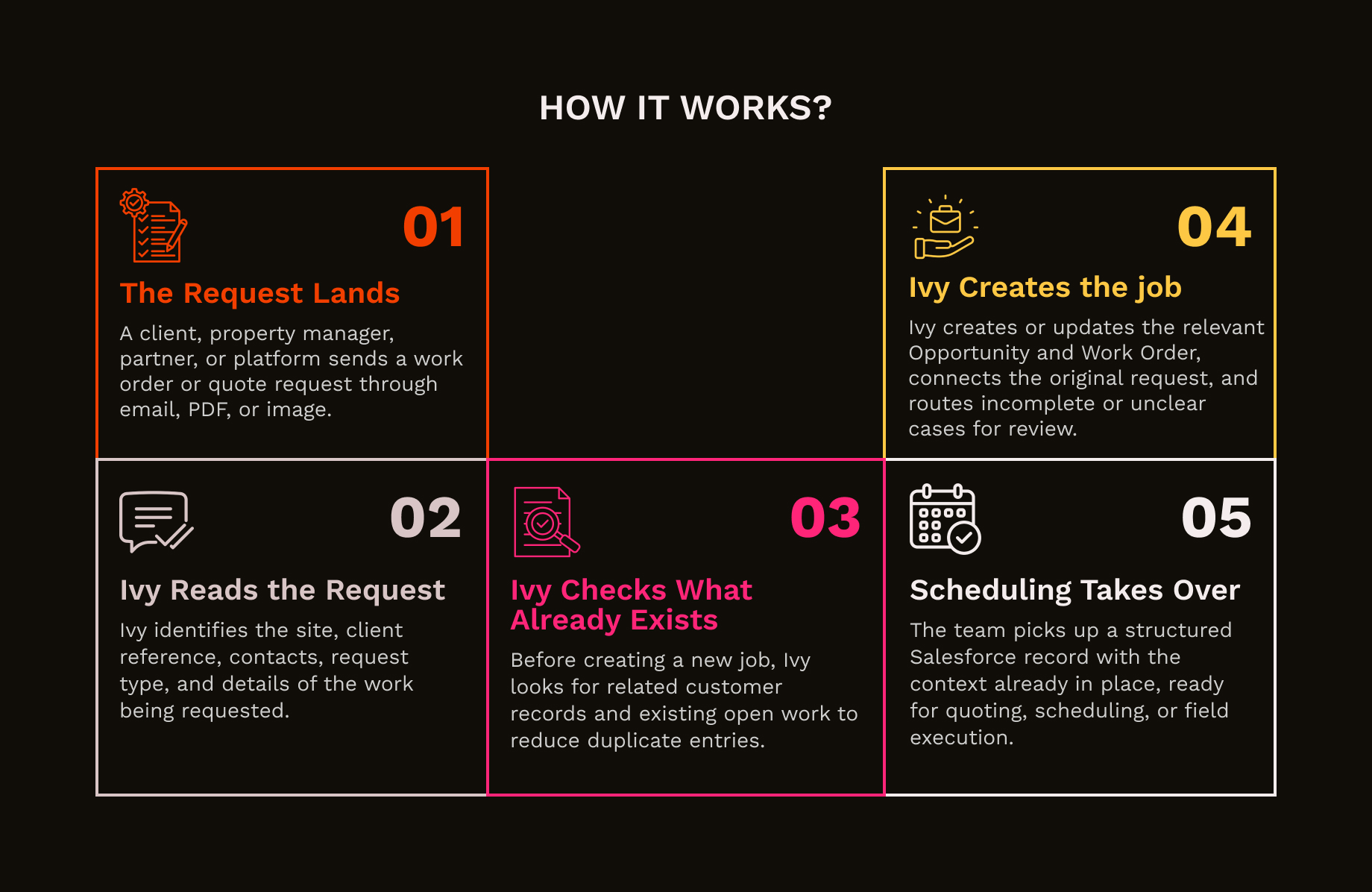
One client sends a PDF, another sends a scanned image, and someone else puts half the job details in the email body. Ivy reads across formats and pulls the request into one consistent intake flow.
The site address might be on page one, the client reference in the footer, and the contact details somewhere in between. Ivy finds the information that matters and brings it together for the job record.
A quote request should not be treated like confirmed work. Ivy reads the request in context, identifies what the client is actually asking for, and sends it into the right process from the start.
The useful part is not just creating a record. Ivy creates the relevant Work Order and Opportunity, connects them to the customer and contacts, and keeps the original request tied to the job.
Clients resend work orders, forward old emails, and follow up from different inboxes. Ivy checks for existing open work for the same customer and site before creating another job.
Not every request arrives complete. If the address is missing, the instructions conflict, or the request is unclear, Ivy flags it for review instead of pushing bad data further into the process.
Turn high volumes of emailed work orders from property managers and agencies into structured Salesforce records, without coordinators manually reading PDFs and re-entering job details.
Help growing service teams process more inbound work without adding the same level of admin effort, so coordinators can focus on scheduling, exceptions, and customer needs.
Route inspection and quote requests into the right process from the start, giving teams the job context they need to assess, price, and progress work efficiently.
Standardise work requests coming from property managers, insurers, builders, and facilities teams, even when every client uses a different format, system, or submission process.
Your operations team has better things to do than decode work orders. Ivy gets the job into Salesforce and ready to move.