.jpg)

Two catalog items can sit side by side in an employee’s IT service catalog and look almost identical.
Request VPN Access asks a few questions and creates a ticket.
Report VPN Issue does the same.
But what happens after the employee hits Submit is completely different.
One is a planned service request that may need approval and fulfillment. The other is an incident that may need prioritization, investigation, escalation, or even problem and change management.
In Salesforce IT Service, that difference starts with the service process behind the catalog item and, more specifically, the target data model or anchor entity assigned to it.
That one configuration decides whether Salesforce creates a Service Request, Case, or Incident and influences which automation, routing, approvals, SLAs, and downstream ITSM processes follow.
Let’s break down how it works.
A Service Process is the configuration layer behind an IT service catalog item. It defines how Salesforce should handle the request after submission, including the target data model, the information collected at intake, and the workflow that follows.
The key decision is the Target Data Model, also called the anchor entity.
Service Request or Case typically handles standard tasks such as hardware or access, while Incident handles reported service interruptions or degradation.
| Catalog item | Target data model | What the process is trying to do |
|---|---|---|
| Report VPN Issue | Incident | Restore a disrupted service |
| Request VPN Access | Service Request | Fulfill a planned request |
Quick takeaway: The Target Data Model does more than decide which object gets created. It changes what the form needs to ask, how the ticket is handled, and what “done” looks like.
When the target changes, the fields, routing, approvals, priority logic, SLAs, and related records can change with it. That is why two catalog items can look similar to the employee but behave very differently for the IT team.
An Incident-targeted Service Process is built for something that has already gone wrong. A VPN outage, login failure, or degraded application is not a request for a new capability. It is a disruption that IT needs to understand and restore.
That changes the process immediately.
The intake needs to help the service team diagnose and prioritize the issue. Useful attributes can include:
Urgency and Impact can drive Priority, which can then influence SLA milestones and escalation behavior. A high-impact, high-urgency issue can move through a very different response path from a low-impact issue affecting one employee.
In other words: the Service Process is built around triage, prioritization, restoration, and escalation, not approval and planned fulfillment.
Once the process targets Incident, the record can also participate in the broader Incident Management lifecycle.
A Service Request-targeted process starts from a different place. Nothing is necessarily broken. The employee is asking IT to deliver something through a known, repeatable process.
Think VPN access, approved software, new hardware, or a standard configuration request.
The intake should give approvers and fulfillment teams the context they need to make and complete the request. That can include:
Approval can become a load-bearing step. The request may route to a manager, asset owner, or another responsible approver before fulfillment starts. For more complex workflows, Flow Orchestration can coordinate approval and fulfillment stages across different teams.
A CMDB or Discovery integration can also bring in asset or configuration context automatically, so the employee is not asked to provide information Salesforce already knows.
After approval, the workflow shifts into fulfillment. The Service Process can:
The practical difference is simple: an Incident process asks, “How do we restore this?” A Service Request process asks, “How do we deliver this?”
| Service Process area | Incident target | Service Request target |
|---|---|---|
| Catalog item intent | Report something broken or degraded | Request a planned service or entitlement |
| Generated record | Incident | Service Request |
| Intake focus | Impact, urgency, affected service, symptoms | Requested item, justification, configuration, approver |
| Primary workflow | Triage, diagnosis, escalation, resolution | Approval, assignment, provisioning, fulfillment |
| Priority / SLA logic | Priority can be driven by Impact and Urgency; milestones can vary by priority | Service-level target generally focuses on completing the requested service |
| Related ITSM records | Problem, Change Request, related Incidents, Major Incident | Approvals, fulfillment tasks, catalog request records |
| Automation focus | Coordinate investigation and restore service | Complete the requested service |
| Example | Report VPN Issue | Request VPN Access |
This is the part that matters most: the target data model changes the whole operating path, not just the record name.
The easiest way to see the difference is to use the same service — VPN — for both processes.
An employee loses their VPN connection mid-meeting and opens “Report VPN Issue.” The Service Process targets Incident.
The process is built to restore service.
A new hire opens “Request VPN Access” on their first day. The Service Process targets Service Request.
No Incident priority. No Major Incident path. No root-cause investigation. The process is built to fulfill the request.
Building either process correctly starts with confirming your org actually has access to Service Process. It sits under Salesforce IT Service, which isn’t automatically on in every plain Developer Edition signup. It needs the Agentforce-and-Data-Cloud-enabled Developer org (available free from Salesforce’s developer site) or a Service Cloud Enterprise+ org with Agentforce provisioned.
Incident Management (the Incident, Problem, and Change Request objects) is a separate, standard Service Cloud feature and works in any dev org, so it’s worth checking which piece you actually have before you start.
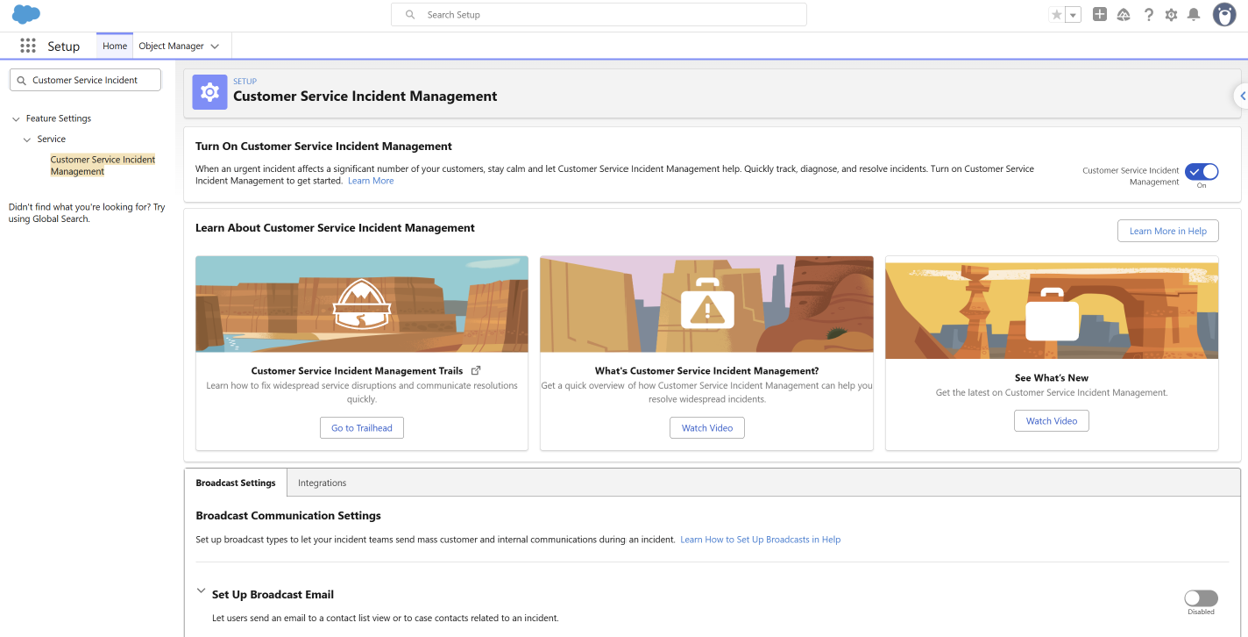
1. Turn on Customer Service Incident Management. In Setup, search “Customer Service Incident Management” and toggle it on. This activates the Incident, Problem, and Change Request objects in Object Manager.
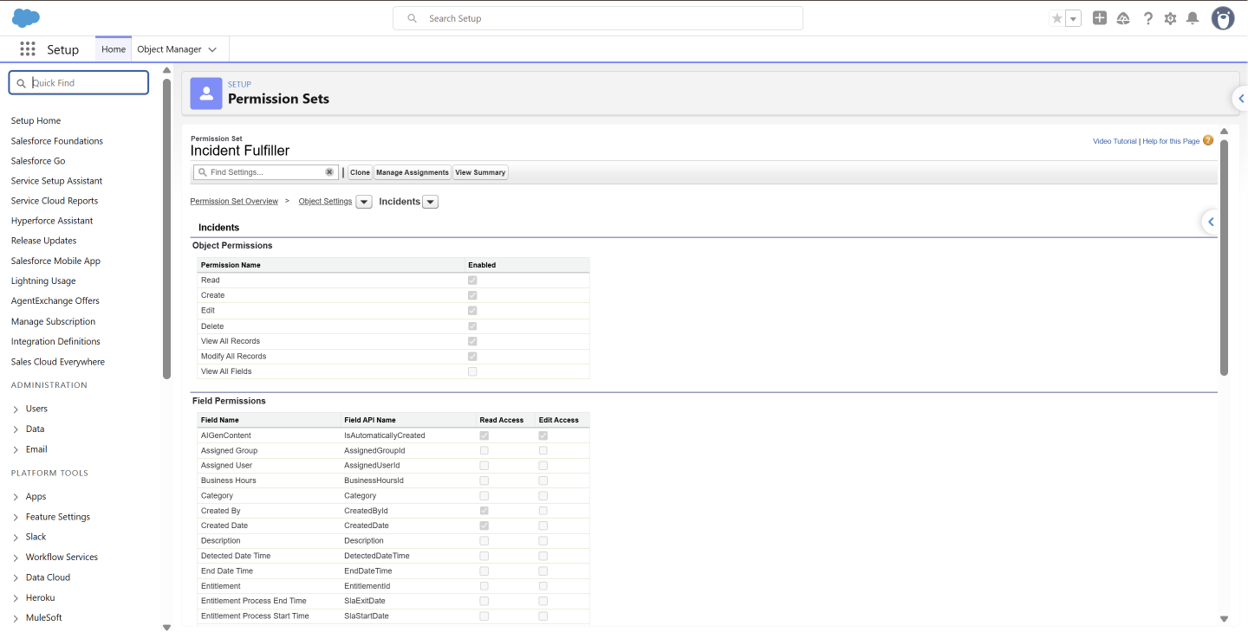
2. Grant object access via a permission set. Create a permission set with Read/Create/Edit/Delete on Incident, plus whatever level you need on Problem and Change Request for root-cause tracking, and assign it to your test user.
3. Add the relevant tabs to your app. In App Manager, add the Incident (and Problem/Change Request, if used) tabs so agents can open records directly from the app menu.
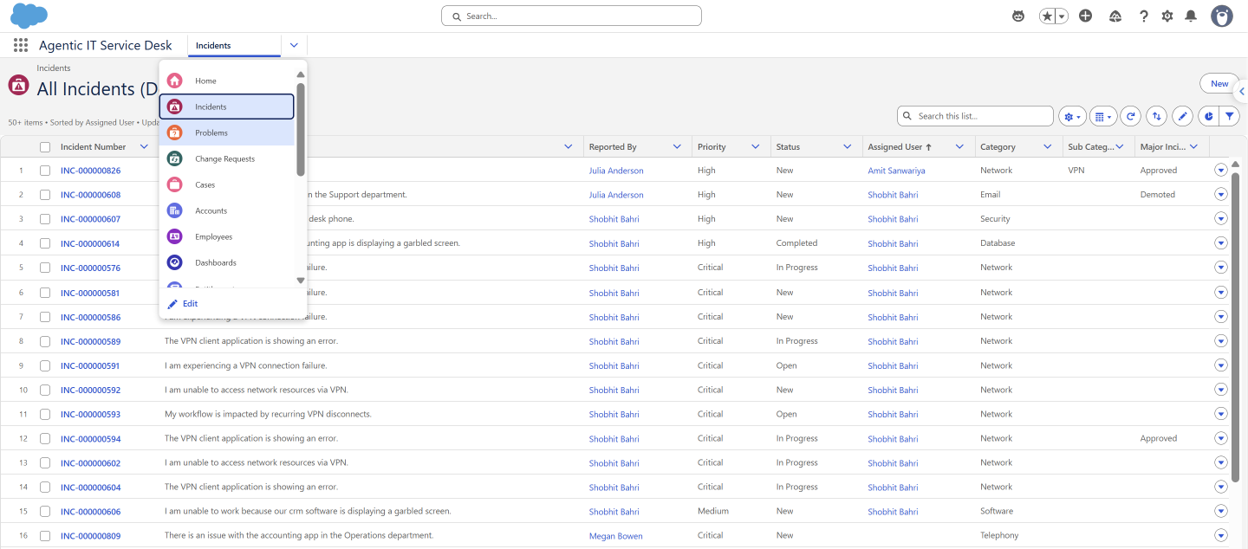
4. Open Service Process and create a new Service Process Definition. This is where the catalog-item-to-object mapping gets built.
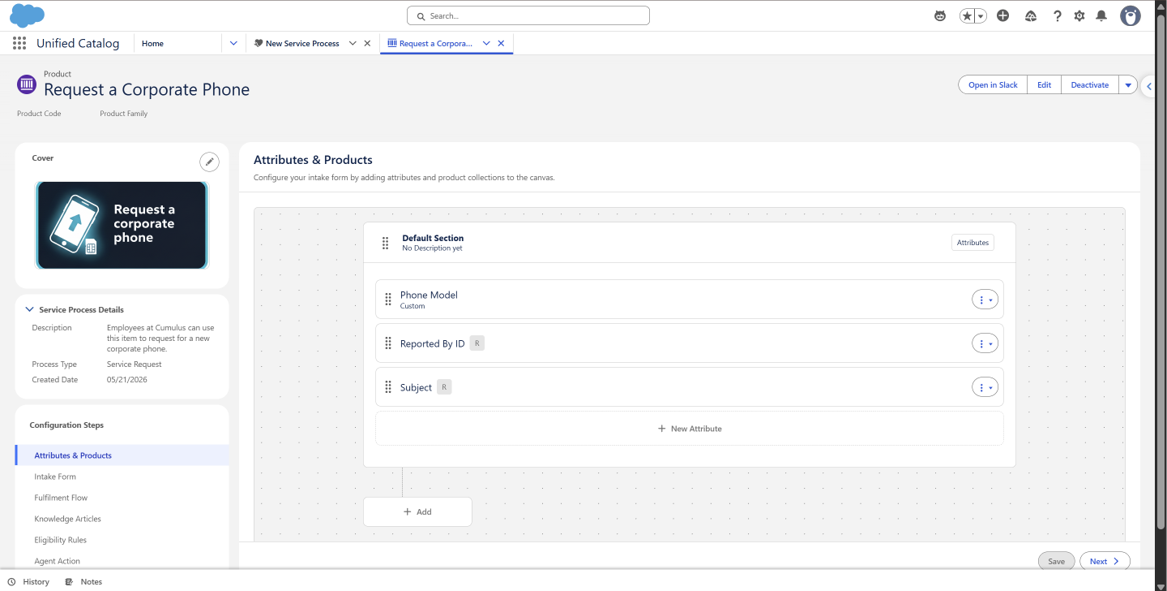
5. Set the target data model. Choose Incident for a diagnostic, escalation-driven process, or Service Request/Case for an approval-driven fulfillment process. This single setting decides which object every catalog item built on this process will generate.
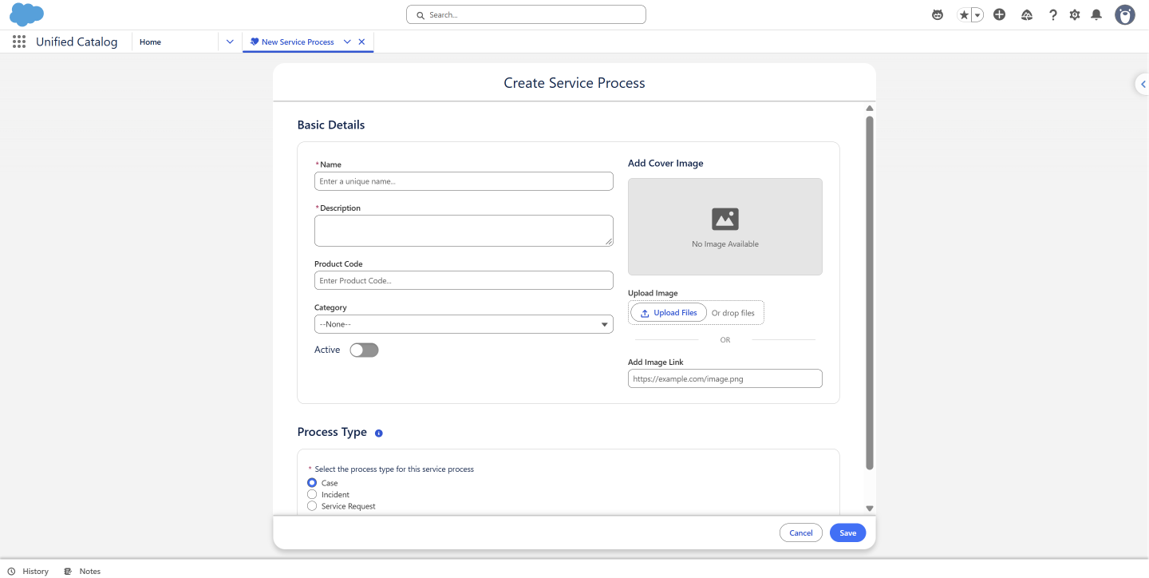
6. Configure data attributes to match the target. For Incident, prioritize base attributes mapped to Urgency, Impact, and affected system. For Service Request, prioritize attributes that capture what’s requested and who approves it.
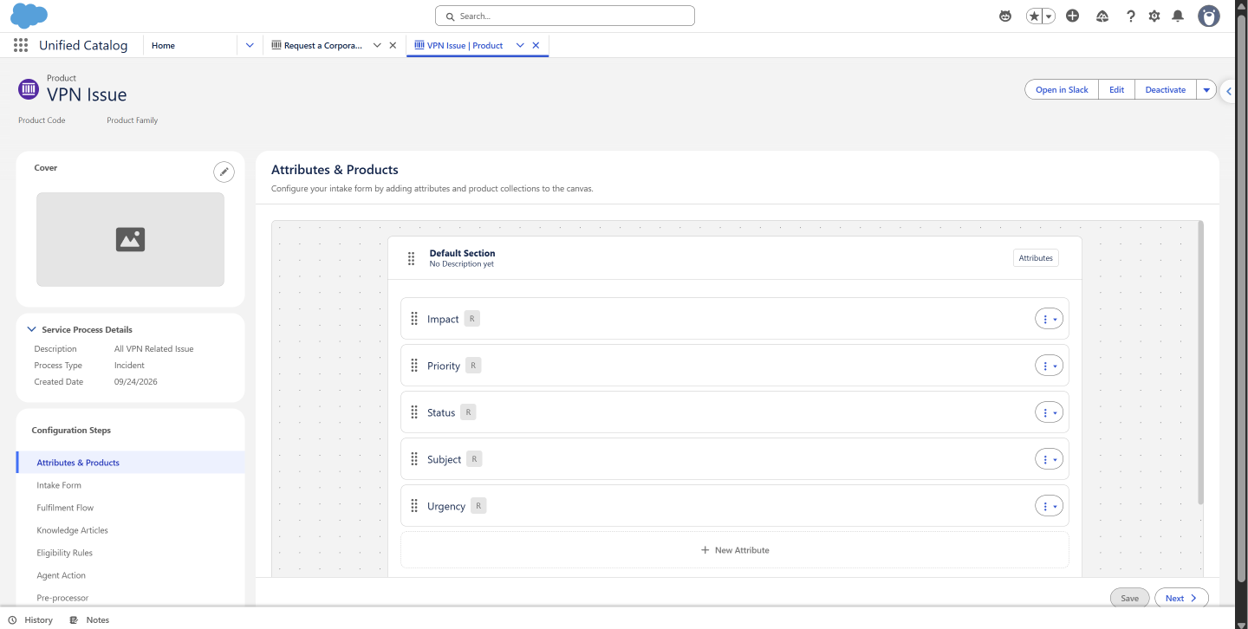
7. Attach the process to a Service Catalog item and publish it. Give the item a name that reflects its intent — “Report” for Incident-targeted items, “Request” for Service Request-targeted items — so employees self-route correctly at intake.
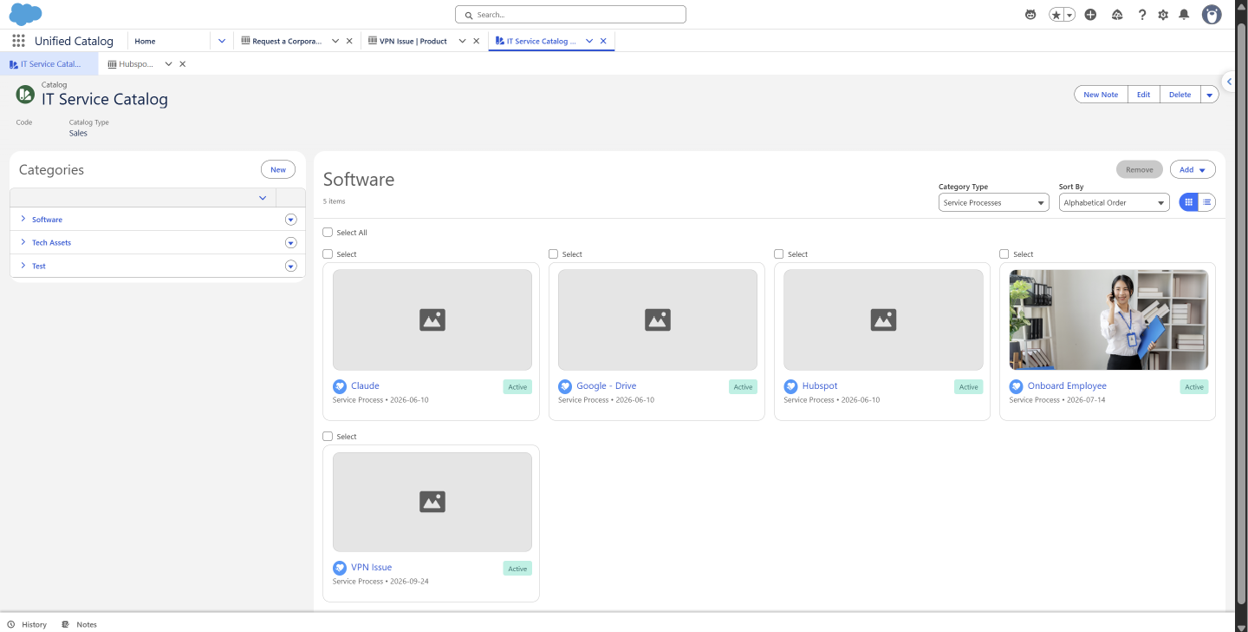
8. Test end to end. Submit a test request as your test user and confirm it creates the correct record type with the right fields populated.
Incident and Service Request processes work differently because they are built for different outcomes.
An Incident Service Process helps IT respond to an issue, understand what went wrong, and restore service. A Service Request Process moves a standard request through approval, assignment, and fulfillment.
The key is making sure the Service Process matches the type of work behind the catalog item.
When that setup is right, requests are easier to route, manage, and complete for both IT teams and employees.
At MIDCAI, we help businesses design Salesforce IT Service implementation around how their teams actually work.
Need help structuring Service Processes in Salesforce IT Service? Let’s talk.

With 4+ years of experience across Salesforce Marketing Cloud, Data Cloud, Agentforce, and AI automation, I work on building connected customer journeys and smarter workflows. At MIDCAI, I focus on turning business requirements into practical Salesforce solutions that are easier to use and scale.
Got questions? We’ve got answers. Explore common queries to understand how we work and what to expect.
Service Process is where you build a Service Process Definition — the configuration that sits behind a Service Catalog item and controls which record gets created (Service Request, Case, or Incident) when an employee submits a request, along with the data attributes and fulfillment steps involved.
A base attribute maps directly to a field on the target object or its related records and supports field-level security, while an extended attribute is stored as a name-value pair in a separate object for details that don't need a dedicated field.
No. Each Service Process definition targets a single data model. If a catalog item genuinely needs to route to either object depending on the situation, the intake flow needs a branching step that directs the employee to the correct Service Process, not a single process targeting both.
Yes. Customer Service Incident Management is included in the standard Service Cloud license, but it has to be enabled through Setup, including granting object access to Incidents, Problems, and Change Requests, before a Service Process can target it.
Service Process sits under Agentforce IT Service, which requires either the Agentforce-and-Data-Cloud-enabled Developer org or a Service Cloud Enterprise+ org with Agentforce provisioned — a plain Developer Edition signup won't include it by default.
Get in touch with us for any enquiries and questions
Define your goals and identify areas where technology can add value to your business
We are looking for passionate people to join us on our mission.
where your skills fuel innovation and your growth powers ours